CONTENT MIGRATION,
WIZARDS OF THE COAST
As part of a large-scale content migration for D&D Beyond, I designed a repeatable workflow to extract, organize, rename, and migrate hundreds of web assets into a new publishing structure. By combining Excel automation, metadata, and command-line tools, I turned a slow, manual process into a scalable production pipeline.
The following visuals recreate the migration workflow using representative data. They are intended to illustrate the process while protecting proprietary information.
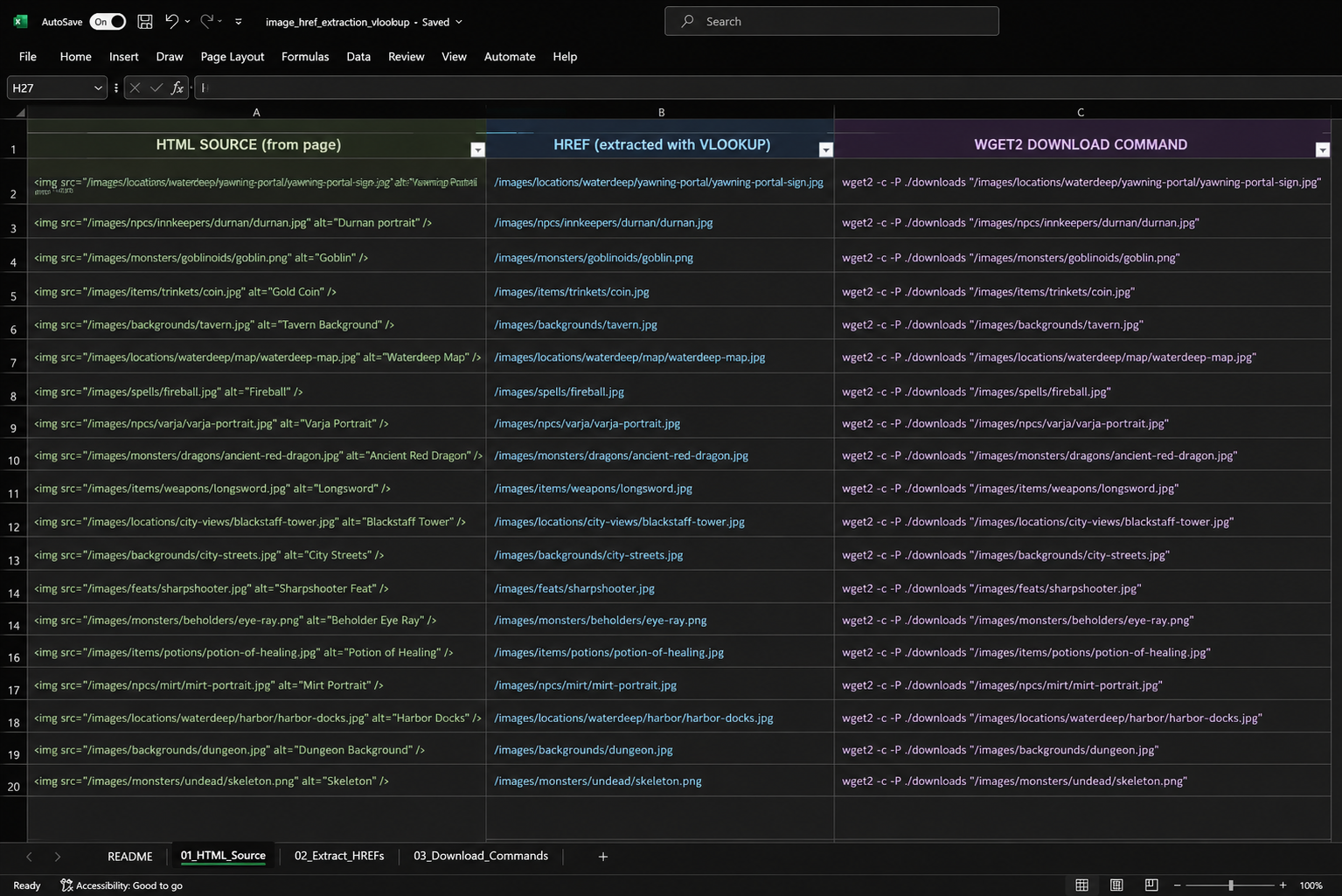
The original assets lacked a consistent naming convention, making them difficult to identify once separated from their webpages. The goal wasn't just to migrate images to AWS—it was to preserve enough context that every file would remain easy to locate, understand, and maintain long after the migration was complete.
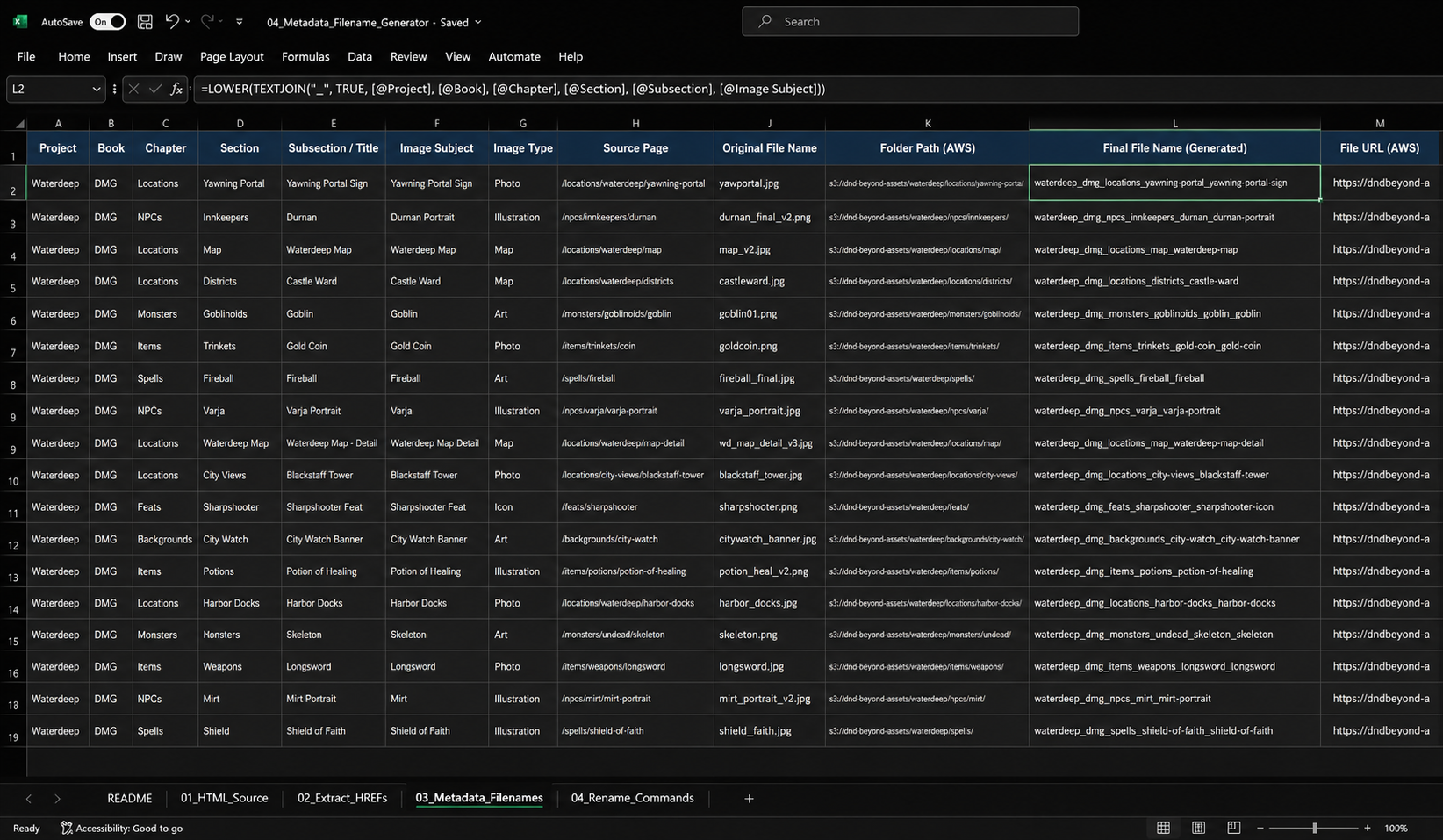
I built a workflow that extracted image references from each page's HTML source, then used Excel formulas and lookup functions to organize them into downloadable asset lists. A second spreadsheet stored project metadata and page hierarchy, which was used to generate descriptive filenames containing breadcrumb information like project, section, subsection, and image subject. Finally, I generated batch rename commands directly from Excel, allowing large groups of files to be renamed and uploaded to AWS in minutes instead of hours.
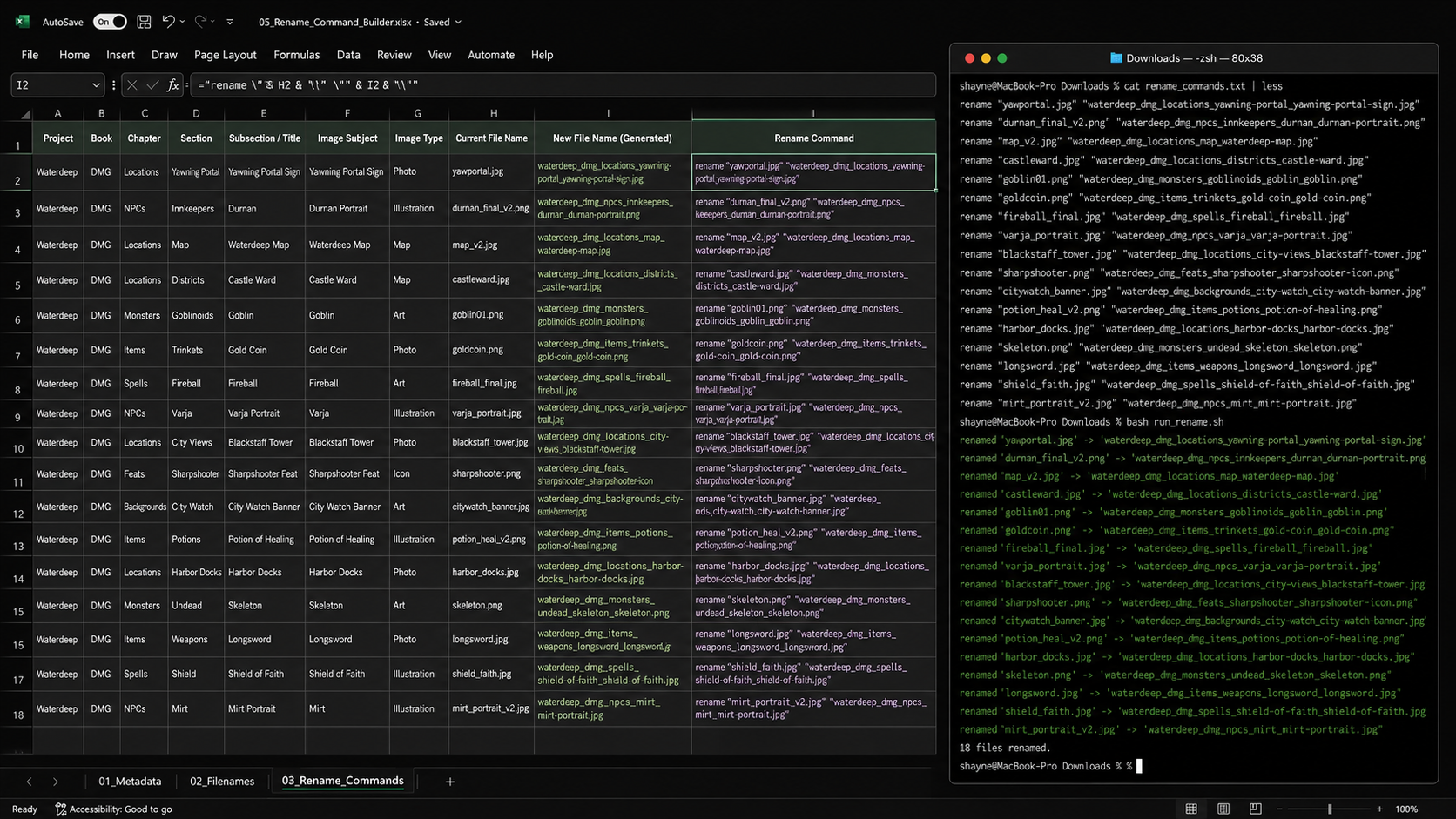
The final workflow made the migration faster, more consistent, and much easier to maintain. Descriptive filenames improved asset discoverability, reduced the risk of misplaced files, and created a reusable process that could scale to future publishing projects.